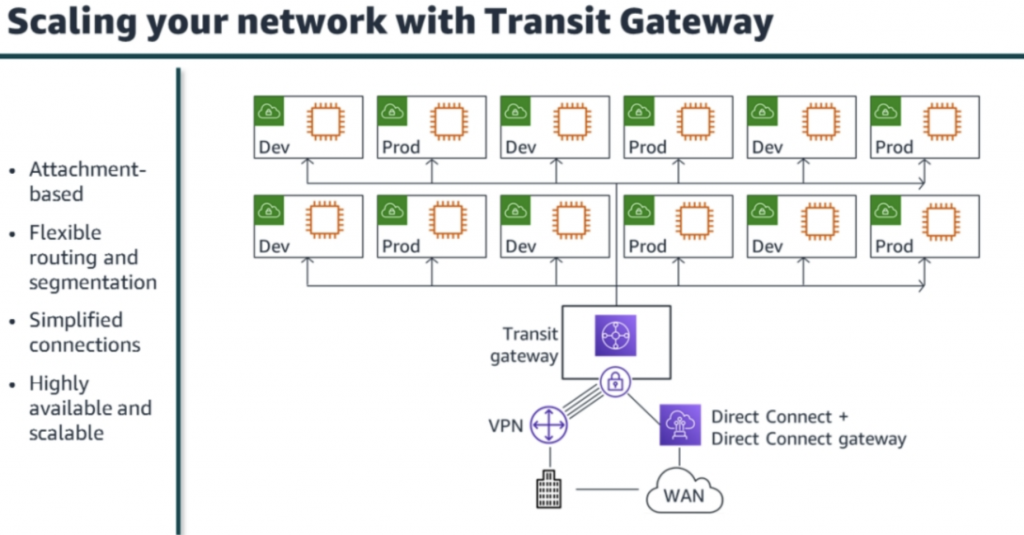
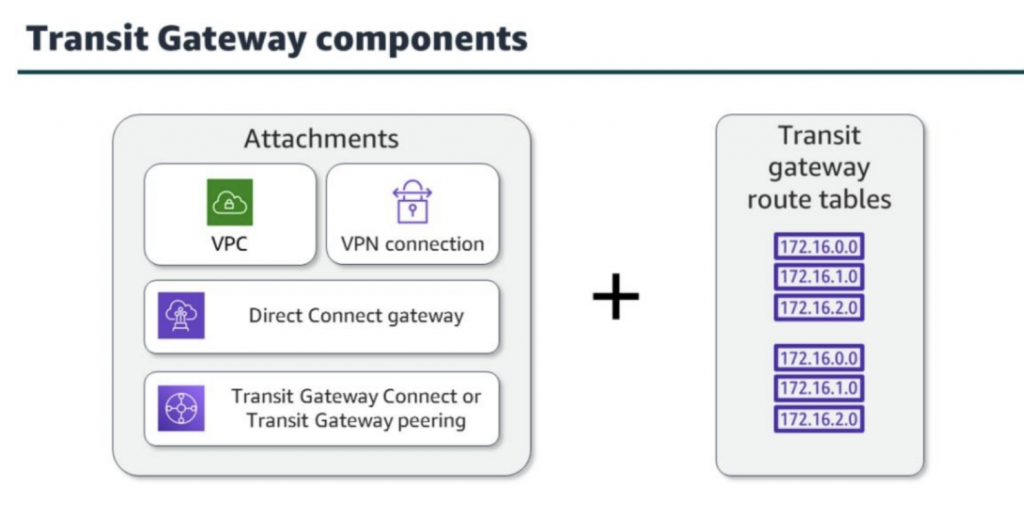
Build and configure routing via transit gateways with multiple levels of complexity.
Author: fire_horse
-
Lab 2: Configuring Transit Gateways
-
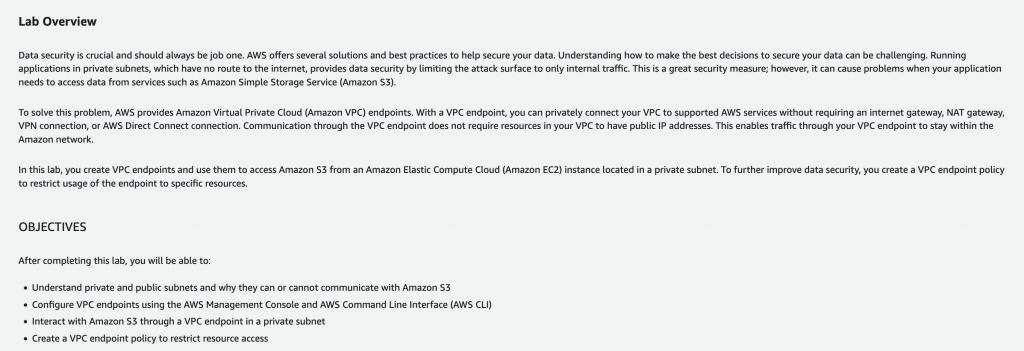
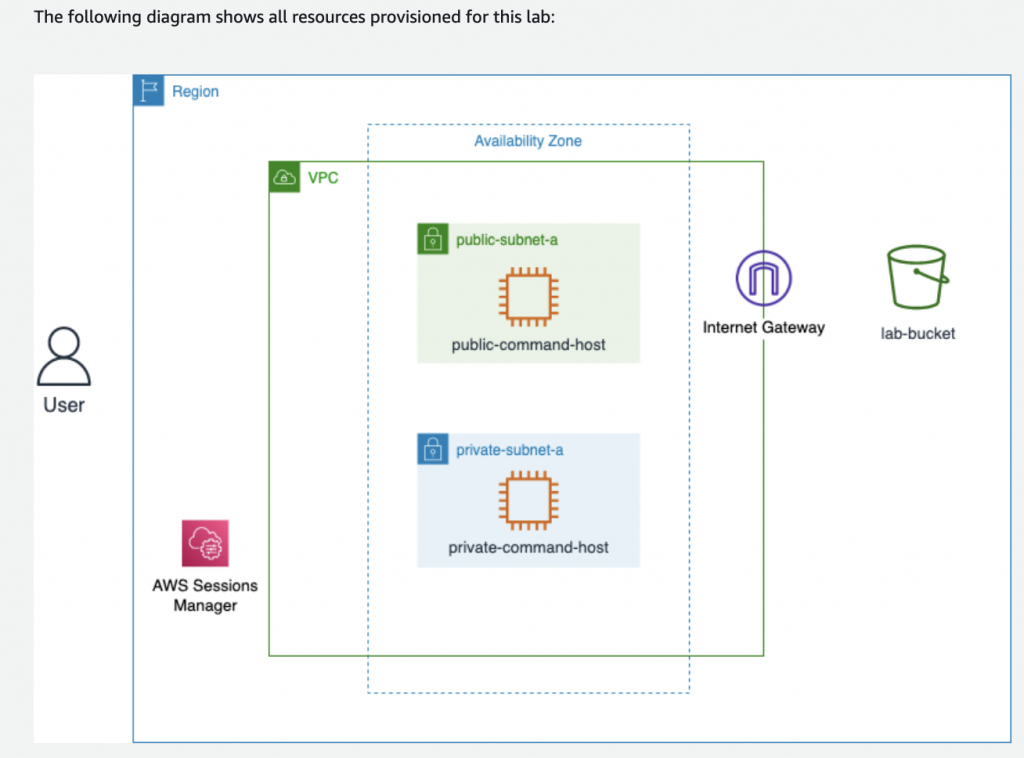
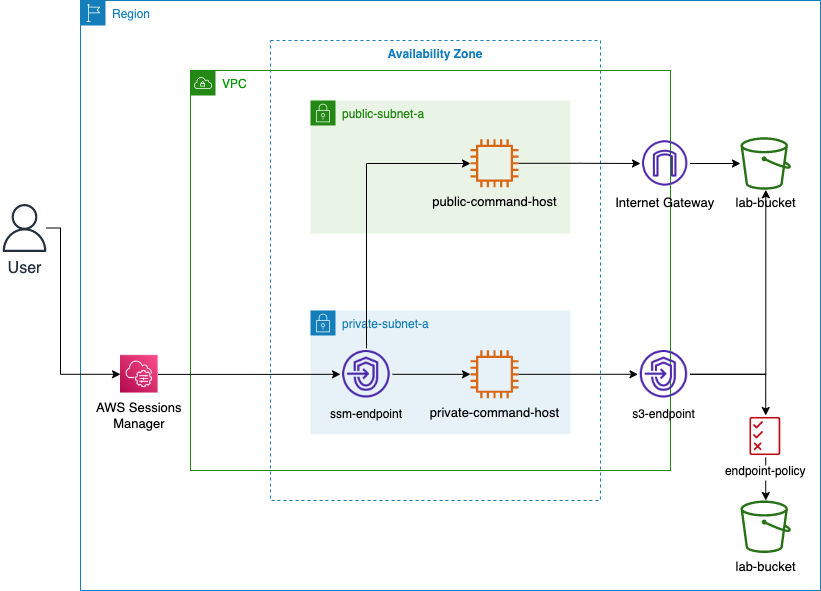
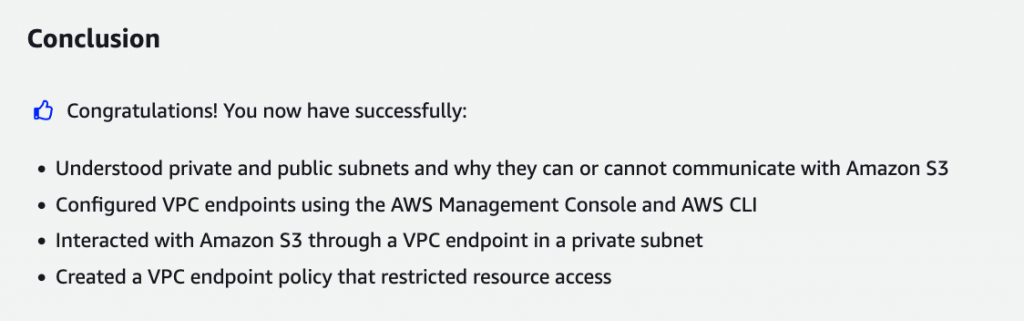
Lab 1: Securing Amazon S3 VPC Endpoint Communications
Learn how to use Amazon S3 endpoints to securely access data from an EC2 instance located in a private subnet.
ls

// To go to your home directory, run the following command
cd ~

// To help differentiate commands from output in the AWS CLI, run the following command. This adds a blank line before any output to the screen:
trap 'printf "\n"' DEBUG

// You can also alter your command prompt to make output easier to read by exporting the PS1 variable. To do this, run the following command:
export PS1="\n[\u@\h \W] $ "

// To configure the AWS CLI, run the following command :
aws configure

rm ~/.aws/credentials

aws s3 ls
aws s3 ls s3://<LabBucket>
aws s3 cp s3://<LabBucket>/demo.txt ~/
less demo.txt
echo " This is some non-unique text that will be appended to your file." >> demo.txt less demo.txtaws s3 cp demo.txt s3://<LabBucket>/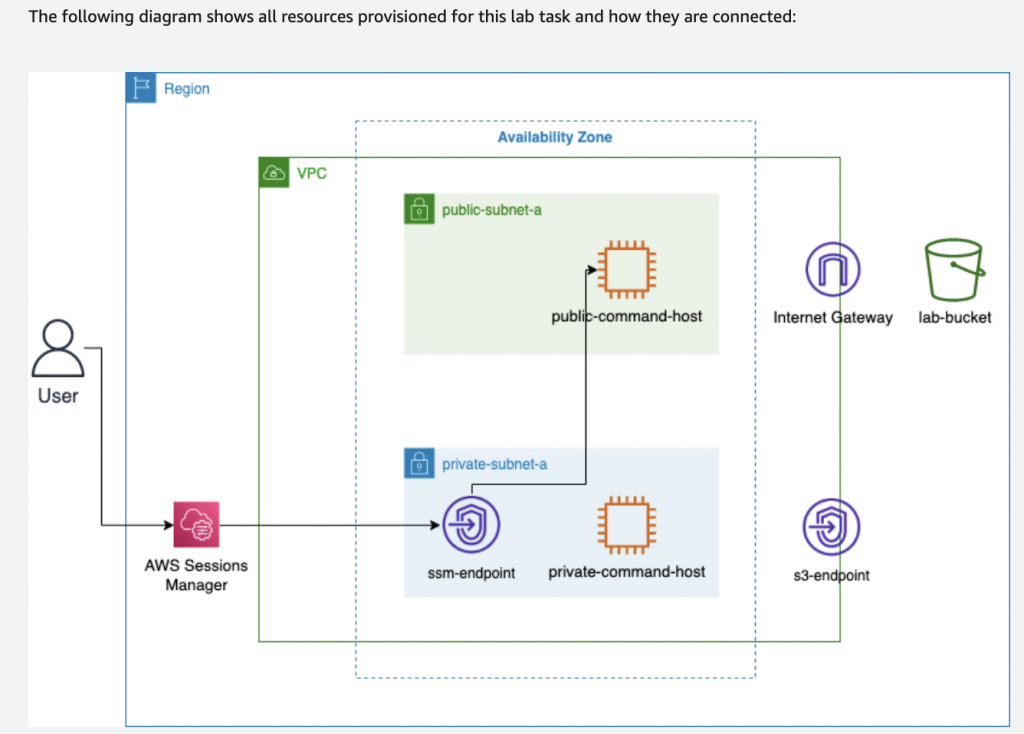
# To list the services that have VPC endpoints created for them, run the following command:
aws ec2 describe-vpc-endpoints --query 'VpcEndpoints[*].ServiceName'
VPC=$(aws ec2 describe-vpcs --query 'Vpcs[*].VpcId' --filters 'Name=tag:Name, Values=labVPC' | jq -r '.[0]') echo $VPCRTB=$(aws ec2 describe-route-tables --query 'RouteTables[*].RouteTableId' --filters 'Name=tag:Name, Values=PrivateRouteTable' | jq -r '.[0]') echo $RTBexport AWS_REGION=$(curl -s 169.254.169.254/latest/dynamic/instance-identity/document | jq -r '.region') echo $AWS_REGION aws ec2 create-vpc-endpoint \ --vpc-id $VPC \ --service-name com.amazonaws.$AWS_REGION.s3 \ --route-table-ids $RTBaws ec2 describe-vpc-endpoints --query 'VpcEndpoints[*].ServiceName'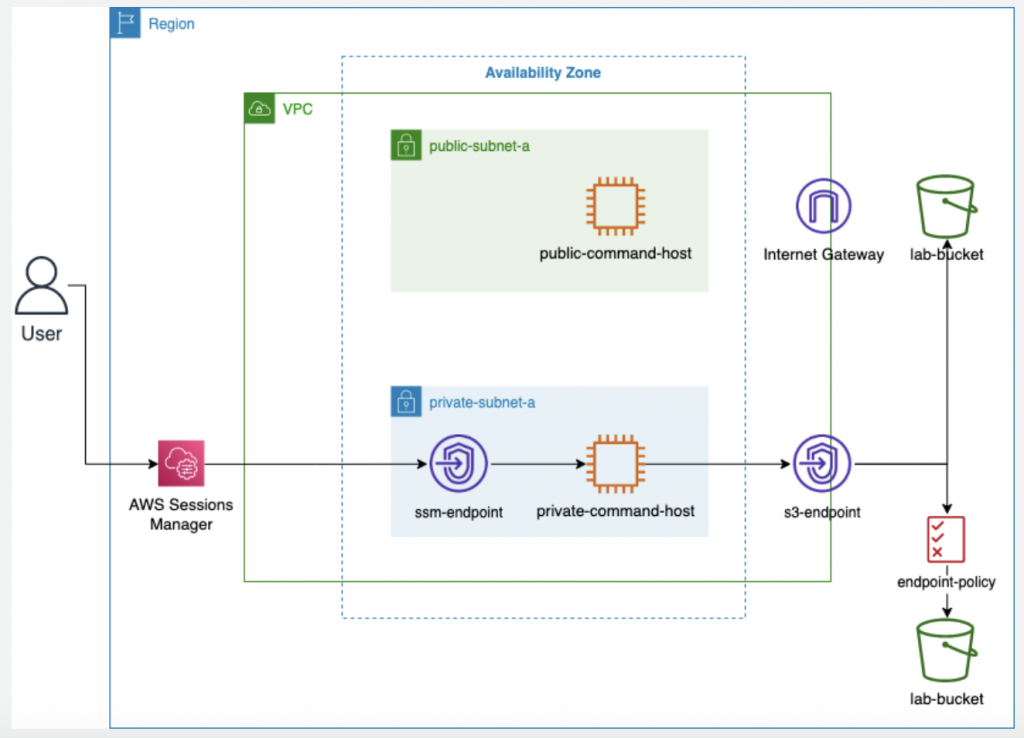
{
    "Version": "2012-10-17",
    "Statement": [
        {
            "Effect": "Allow",
            "Principal": "*",
            "Action": "s3:List*",
            "Resource": "arn:aws:s3:::*"
        },
        {
            "Effect": "Allow",
            "Principal": "*",
            "Action": "s3:*",
            "Resource": [
                "arn:aws:s3:::<LabBucket>",
                "arn:aws:s3:::<LabBucket>/*"
            ]
        },
        {
            "Effect": "Deny",
            "Principal": "*",
            "Action": "s3:*",
            "Resource": [
                "arn:aws:s3:::<LabLoggingBucket>",
                "arn:aws:s3:::<LabLoggingBucket>/*"
            ]
        }
    ]
}
{
    "Version": "2012-10-17",
    "Statement": [
        {
            "Effect": "Allow",
            "Principal": "*",
            "Action": "s3:List*",
            "Resource": "arn:aws:s3:::*"
        },
        {
            "Effect": "Allow",
            "Principal": "*",
            "Action": "s3:*",
            "Resource": [
                "arn:aws:s3:::<LabBucket>",
                "arn:aws:s3:::<LabBucket>/*"
            ]
        },
        {
            "Effect": "Deny",
            "Principal": "*",
            "Action": "s3:*",
            "Resource": [
                "arn:aws:s3:::<LabLoggingBucket>",
                "arn:aws:s3:::<LabLoggingBucket>/*"
            ]
        }
    ]
}
cd ~ cat <<EOT >> policy.json { "Version": "2012-10-17", "Statement": [ { "Effect": "Allow", "Principal": "*", "Action": "s3:List*", "Resource": "arn:aws:s3:::*" }, { "Effect": "Allow", "Principal": "*", "Action": "s3:*", "Resource": [ "arn:aws:s3:::<LabBucket>", "arn:aws:s3:::<LabBucket>/*" ] }, { "Effect": "Deny", "Principal": "*", "Action": "s3:*", "Resource": [ "arn:aws:s3:::<LabLoggingBucket>", "arn:aws:s3:::<LabLoggingBucket>/*" ] } ] } EOTexport vpcEndpointId=$(aws ec2 describe-vpc-endpoints --query 'VpcEndpoints[?contains(ServiceName, `s3`) == `true`].VpcEndpointId' --output text) echo ${vpcEndpointId}aws ec2 modify-vpc-endpoint --vpc-endpoint-id ${vpcEndpointId} --policy-document file://policy.jsonaws s3 ls s3://<LabBucket> aws s3 ls s3://<LabLoggingBucket> -
AWS CloudFormation (AWSTemplateFormatVersion)
AWSTemplateFormatVersion: 2010-09-09 Description: Lab7 Task 1 template which builds VPC, supporting resources, a basic networking structure, and some Security groups for use in later tasks. Parameters: VPCCIDR: Description: CIDR Block for VPC Type: String Default: 10.0.0.0/16 AllowedValues: - 10.0.0.0/16 PublicSubnet1Param: Description: Public Subnet 1 Type: String Default: 10.0.0.0/24 AllowedValues: - 10.0.0.0/24 PublicSubnet2Param: Description: Public Subnet 2 Type: String Default: 10.0.1.0/24 AllowedValues: - 10.0.1.0/24 AppSubnet1Param: Description: App Subnet 1 Type: String Default: 10.0.2.0/24 AllowedValues: - 10.0.2.0/24 AppSubnet2Param: Description: App Subnet 2 Type: String Default: 10.0.3.0/24 AllowedValues: - 10.0.3.0/24 DatabaseSubnet1Param: Description: Private Subnet 1 Type: String Default: 10.0.4.0/24 AllowedValues: - 10.0.4.0/24 DatabaseSubnet2Param: Description: Private Subnet 2 Type: String Default: 10.0.5.0/24 AllowedValues: - 10.0.5.0/24 Resources: ########### # VPC and Network Structure ########### LabVPC: Type: 'AWS::EC2::VPC' Properties: CidrBlock: !Ref VPCCIDR EnableDnsSupport: True EnableDnsHostnames: True InstanceTenancy: 'default' Tags: - Key: Name Value: LabVPC LabInternetGateway: Type: 'AWS::EC2::InternetGateway' AttachGateway: Type: 'AWS::EC2::VPCGatewayAttachment' Properties: VpcId: !Ref LabVPC InternetGatewayId: !Ref LabInternetGateway #NATs NATGateway1: Type: AWS::EC2::NatGateway Properties: AllocationId: !GetAtt ElasticIPAddress1.AllocationId SubnetId: !Ref PublicSubnet1 Tags: - Key: Name Value: NATGateway1 ElasticIPAddress1: Type: AWS::EC2::EIP Properties: Domain: vpc NATGateway2: Type: AWS::EC2::NatGateway Properties: AllocationId: !GetAtt ElasticIPAddress2.AllocationId SubnetId: !Ref PublicSubnet2 Tags: - Key: Name Value: NATGateway2 ElasticIPAddress2: Type: AWS::EC2::EIP Properties: Domain: vpc #Subnets PublicSubnet1: Type: 'AWS::EC2::Subnet' Properties: VpcId: !Ref LabVPC CidrBlock: !Ref PublicSubnet1Param MapPublicIpOnLaunch: True AvailabilityZone: !Select - '0' - !GetAZs '' Tags: - Key: Name Value: PublicSubnet1 PublicSubnet2: Type: 'AWS::EC2::Subnet' Properties: VpcId: !Ref LabVPC CidrBlock: !Ref PublicSubnet2Param MapPublicIpOnLaunch: True AvailabilityZone: !Select - '1' - !GetAZs '' Tags: - Key: Name Value: PublicSubnet2 AppSubnet1: Type: 'AWS::EC2::Subnet' Properties: VpcId: !Ref LabVPC CidrBlock: !Ref AppSubnet1Param MapPublicIpOnLaunch: False AvailabilityZone: !Select - '0' - !GetAZs '' Tags: - Key: Name Value: AppSubnet1 AppSubnet2: Type: 'AWS::EC2::Subnet' Properties: VpcId: !Ref LabVPC CidrBlock: !Ref AppSubnet2Param MapPublicIpOnLaunch: False AvailabilityZone: !Select - '1' - !GetAZs '' Tags: - Key: Name Value: AppSubnet2 DatabaseSubnet1: Type: 'AWS::EC2::Subnet' Properties: VpcId: !Ref LabVPC CidrBlock: !Ref DatabaseSubnet1Param MapPublicIpOnLaunch: False AvailabilityZone: !Select - '0' - !GetAZs '' Tags: - Key: Name Value: DatabaseSubnet1 DatabaseSubnet2: Type: 'AWS::EC2::Subnet' Properties: VpcId: !Ref LabVPC CidrBlock: !Ref DatabaseSubnet2Param MapPublicIpOnLaunch: False AvailabilityZone: !Select - '1' - !GetAZs '' Tags: - Key: Name Value: DatabaseSubnet2 #Routing #Route Tables PublicRouteTable: Type: 'AWS::EC2::RouteTable' Properties: VpcId: !Ref LabVPC Tags: - Key: Name Value: PublicRouteTable PrivateRouteTableAZ1: Type: 'AWS::EC2::RouteTable' Properties: VpcId: !Ref LabVPC Tags: - Key: Name Value: PrivateRouteTableAZ1 PrivateRouteTableAZ2: Type: 'AWS::EC2::RouteTable' Properties: VpcId: !Ref LabVPC Tags: - Key: Name Value: PrivateRouteTableAZ2 #Routes PublicRoute: Type: 'AWS::EC2::Route' Properties: RouteTableId: !Ref PublicRouteTable DestinationCidrBlock: 0.0.0.0/0 GatewayId: !Ref LabInternetGateway PrivateRouteAZ1: Type: 'AWS::EC2::Route' Properties: RouteTableId: !Ref PrivateRouteTableAZ1 DestinationCidrBlock: 0.0.0.0/0 NatGatewayId: !Ref NATGateway1 PrivateRouteAZ2: Type: 'AWS::EC2::Route' Properties: RouteTableId: !Ref PrivateRouteTableAZ2 DestinationCidrBlock: 0.0.0.0/0 NatGatewayId: !Ref NATGateway2 #Subnet Associations PublicSubnet1RouteTableAssociation: Type: 'AWS::EC2::SubnetRouteTableAssociation' Properties: SubnetId: !Ref PublicSubnet1 RouteTableId: !Ref PublicRouteTable PublicSubnet2RouteTableAssociation: Type: 'AWS::EC2::SubnetRouteTableAssociation' Properties: SubnetId: !Ref PublicSubnet2 RouteTableId: !Ref PublicRouteTable AppSubnet1RouteTableAssociation: Type: 'AWS::EC2::SubnetRouteTableAssociation' Properties: SubnetId: !Ref AppSubnet1 RouteTableId: !Ref PrivateRouteTableAZ1 AppSubnet2RouteTableAssociation: Type: 'AWS::EC2::SubnetRouteTableAssociation' Properties: SubnetId: !Ref AppSubnet2 RouteTableId: !Ref PrivateRouteTableAZ2 DatabaseSubnet1RouteTableAssociation: Type: 'AWS::EC2::SubnetRouteTableAssociation' Properties: SubnetId: !Ref DatabaseSubnet1 RouteTableId: !Ref PrivateRouteTableAZ1 DatabaseSubnet2RouteTableAssociation: Type: 'AWS::EC2::SubnetRouteTableAssociation' Properties: SubnetId: !Ref DatabaseSubnet2 RouteTableId: !Ref PrivateRouteTableAZ2 ########### # Security Groups ########### AppInstanceSecurityGroup: Type: 'AWS::EC2::SecurityGroup' Properties: GroupDescription: Security Group allowing HTTP traffic for lab instances VpcId: !Ref LabVPC Tags: - Key: Name Value: AppInstanceSecurityGroup SecurityGroupIngress: - IpProtocol: tcp FromPort: 80 ToPort: 80 CidrIp: 0.0.0.0/0 RDSSecurityGroup: Type: 'AWS::EC2::SecurityGroup' Properties: GroupDescription: Security Group allowing RDS instances to have internet traffic VpcId: !Ref LabVPC Tags: - Key: Name Value: RDSSecurityGroup SecurityGroupIngress: - IpProtocol: tcp FromPort: 3306 ToPort: 3306 CidrIp: 0.0.0.0/0 EFSMountTargetSecurityGroup: Type: 'AWS::EC2::SecurityGroup' Properties: GroupDescription: Security Group allowing traffic between EFS Mount Targets and Amazon EC2 instances VpcId: !Ref LabVPC Tags: - Key: Name Value: EFSMountTargetSecurityGroup SecurityGroupIngress: - IpProtocol: tcp SourceSecurityGroupId: !Ref AppInstanceSecurityGroup FromPort: 80 ToPort: 80 - IpProtocol: TCP FromPort: 2049 ToPort: 2049 CidrIp: 0.0.0.0/0 Outputs: Region: Description: "Lab Region" Value: !Ref AWS::Region DatabaseSubnet1CIDR: Description: "CIDR block for the DB Subnet in AZ a" Value: !Ref DatabaseSubnet1Param DatabaseSubnet2CIDR: Description: "CIDR block for the DB Subnet in AZ b" Value: !Ref DatabaseSubnet2Param DatabaseSubnet1ID: Description: "The Subnet ID for the DB Subnet in AZ a" Value: !Ref DatabaseSubnet1 Export: Name: "DatabaseSubnet1ID" DatabaseSubnet2ID: Description: "The Subnet ID for the DB Subnet in AZ b" Value: !Ref DatabaseSubnet2 Export: Name: "DatabaseSubnet2ID" AppInstanceSecurityGroupID: Description: "The Security Group ID for the Lab Instance Security Group" Value: !Ref AppInstanceSecurityGroup Export: Name: "AppInstanceSecurityGroupID" EFSMountTargetSecurityGroupID: Description: "The Security Group ID for the Lab EFS Mount Target" Value: !Ref EFSMountTargetSecurityGroup Export: Name: "EFSMountTargetSecurityGroupID" RDSSecurityGroupID: Description: "The Security Group ID for the Lab RDS cluster" Value: !Ref RDSSecurityGroup Export: Name: "RDSSecurityGroupID" VPCID: Description: "The VPC ID for the lab" Value: !Ref LabVPC Export: Name: "VPCID" -
Use Git like a senior engineer
git log

git log --graph --format=format:'%C(bold blue)%h%C(reset) - %C(bold green)(%ar)%C(reset) %C(white)%an%C(reset)%C(bold yellow)%d%C(reset) %C(dim white)- %s%C(reset)' --all
git show <commit> --stat git show <commit> -- <filepath> git merge origin/main your-branch git rebase origin/main your-branchGenerally, you’ll use rebase when there are changes in an upstream branch (like main) that you want to include in your branch. You’ll use merge when there are changes in a branch that you want to put back into main.
-
Lab 6 – Configure an Amazon CloudFront distribution with an Amazon S3 origin
This lab provides you with an overview of creating Amazon S3 buckets and adding them as an origin to Amazon CloudFront distributions
-
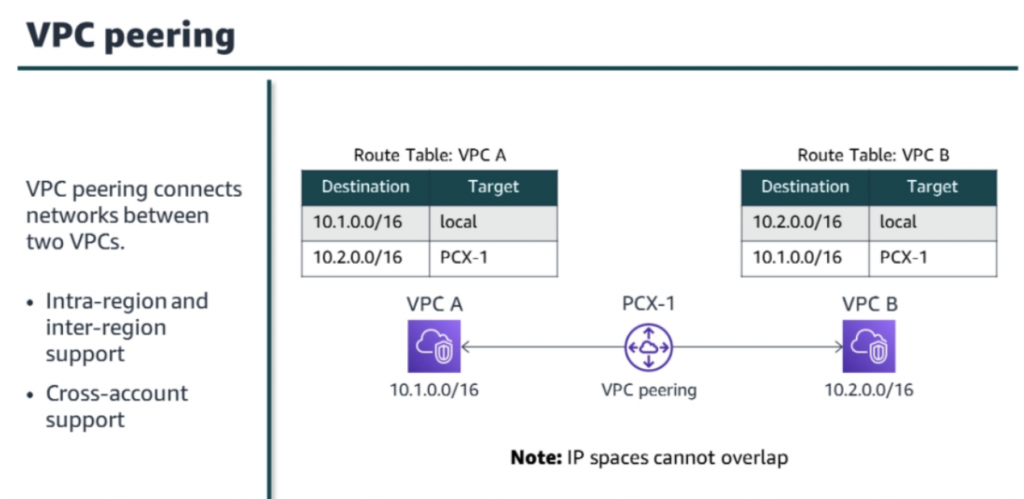
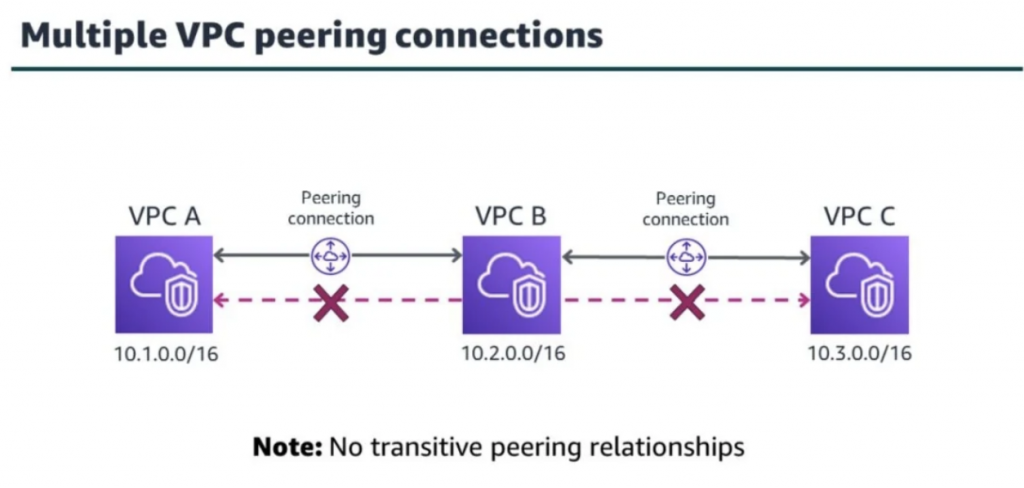
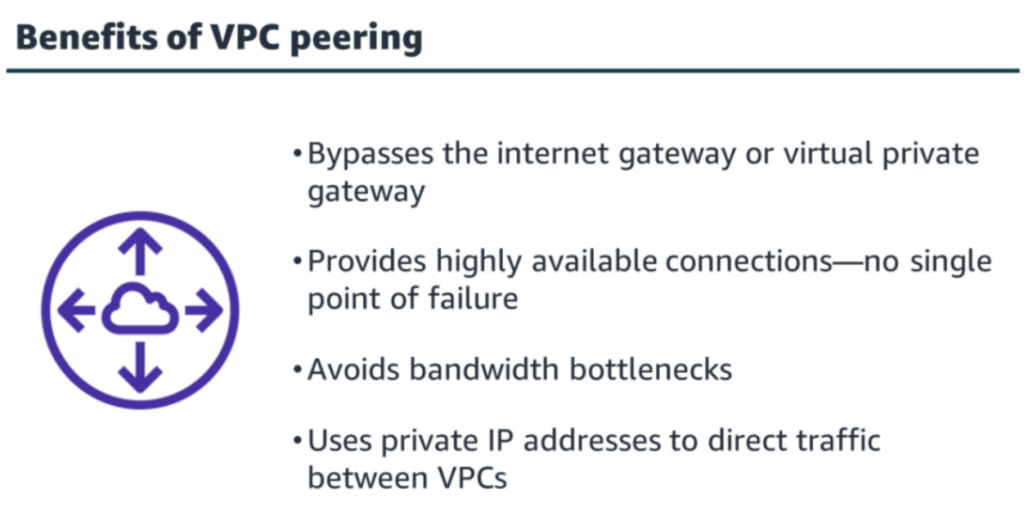
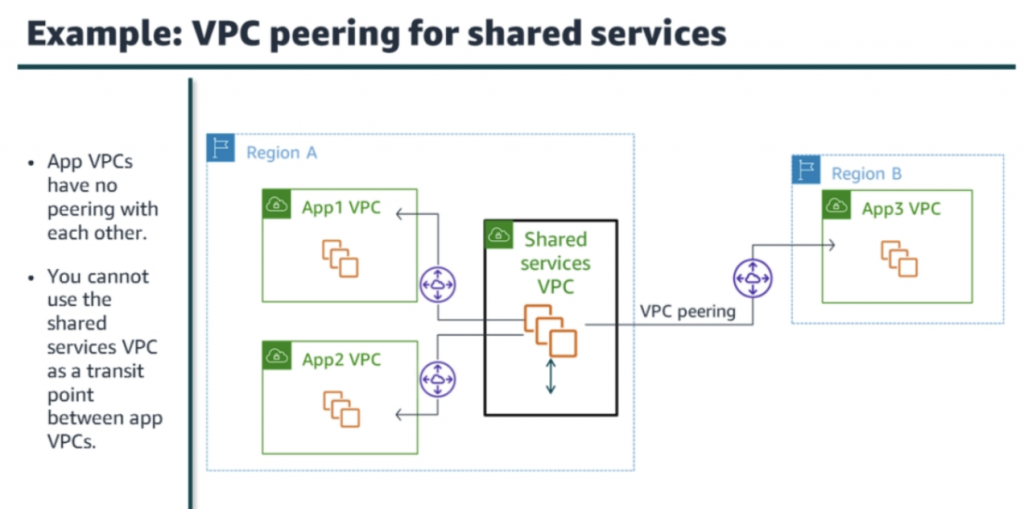
VPC peering
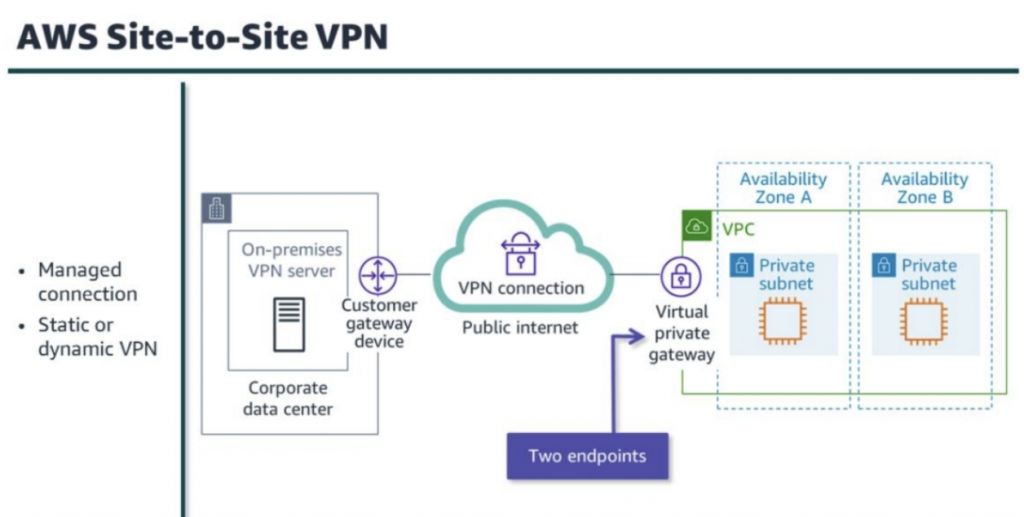
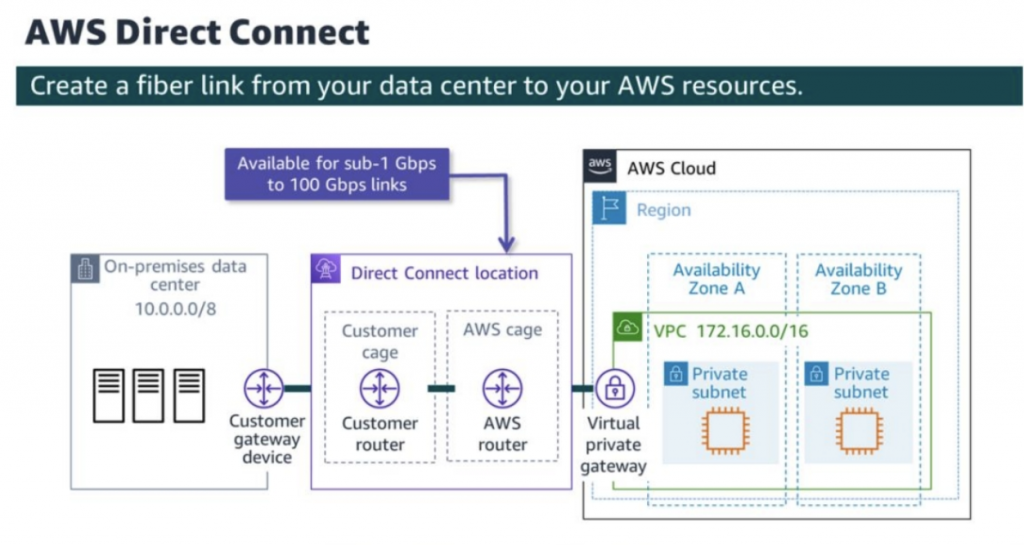
Hybrid network connection
https://docs.aws.amazon.com/whitepapers/latest/hybrid-connectivity/hybrid-network-connection.html

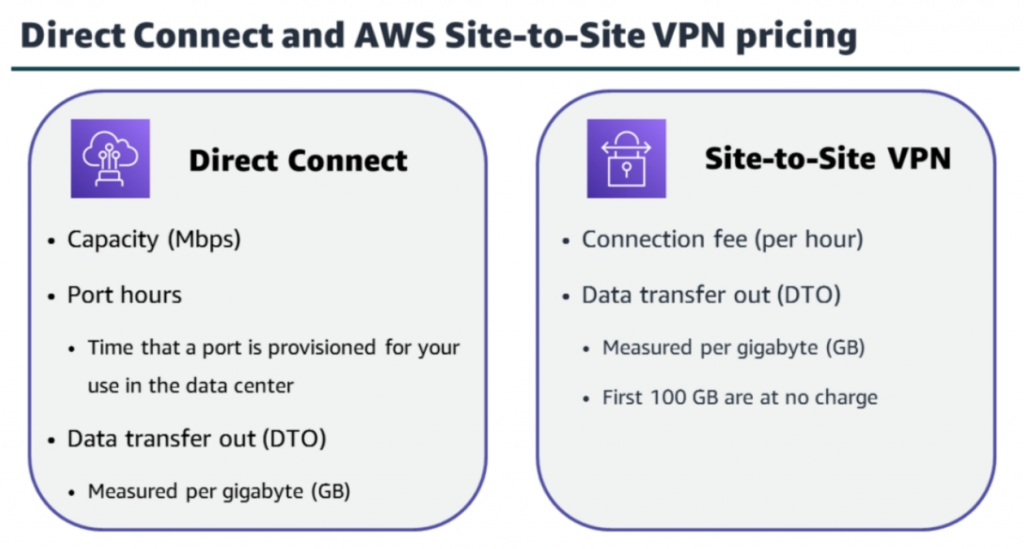
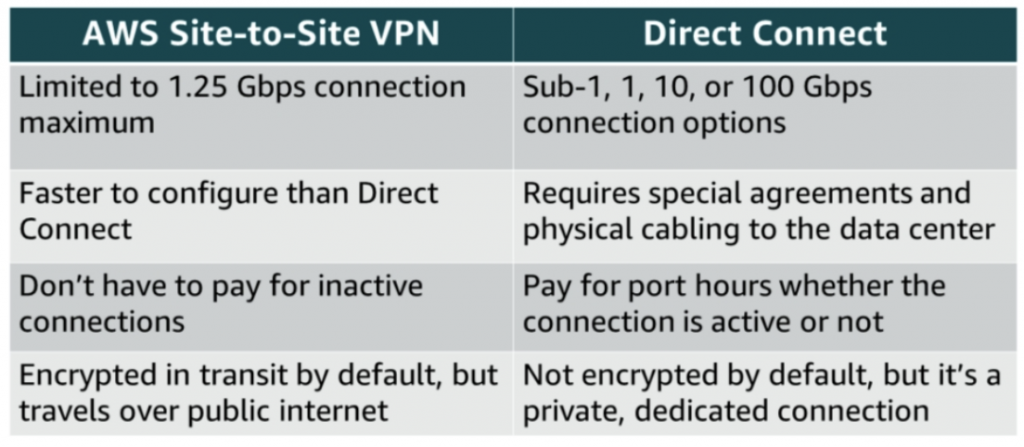
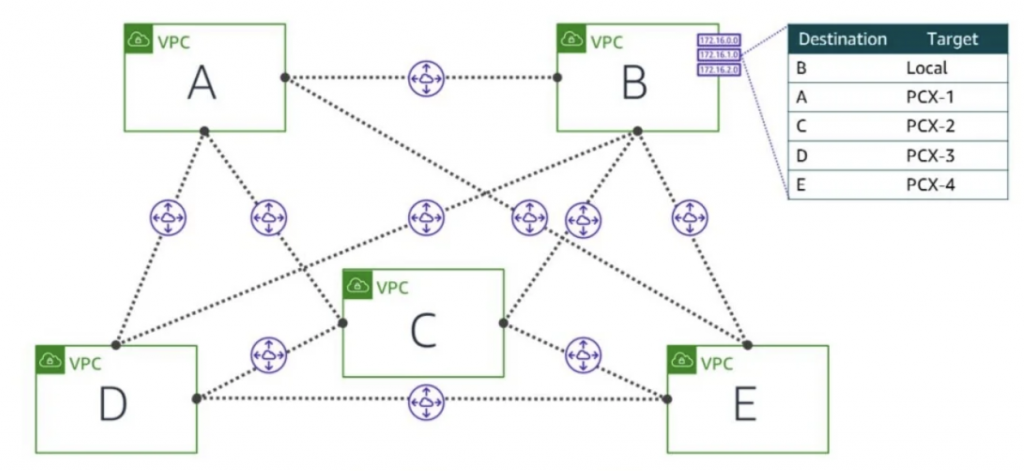
Full mesh VPC peering (up to 50 connections) 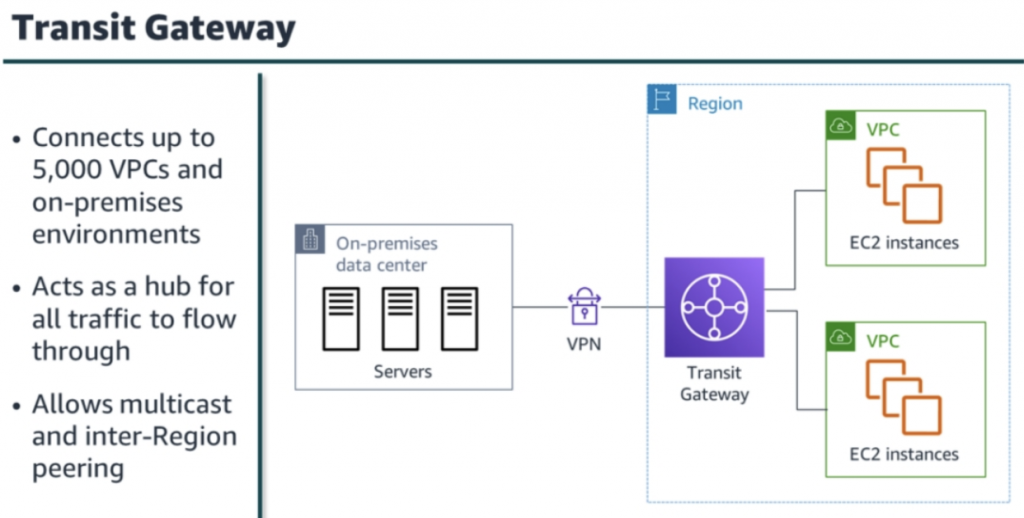
-
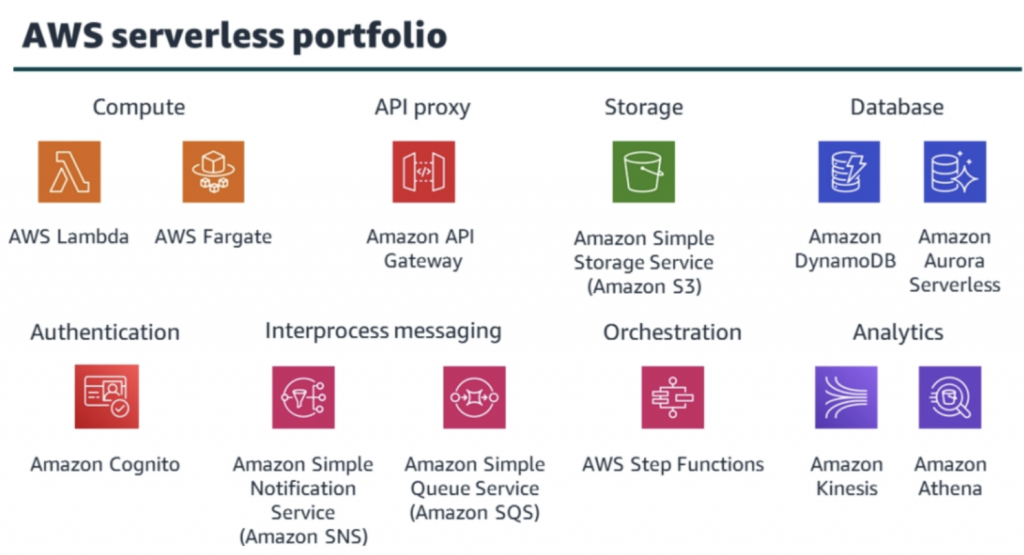
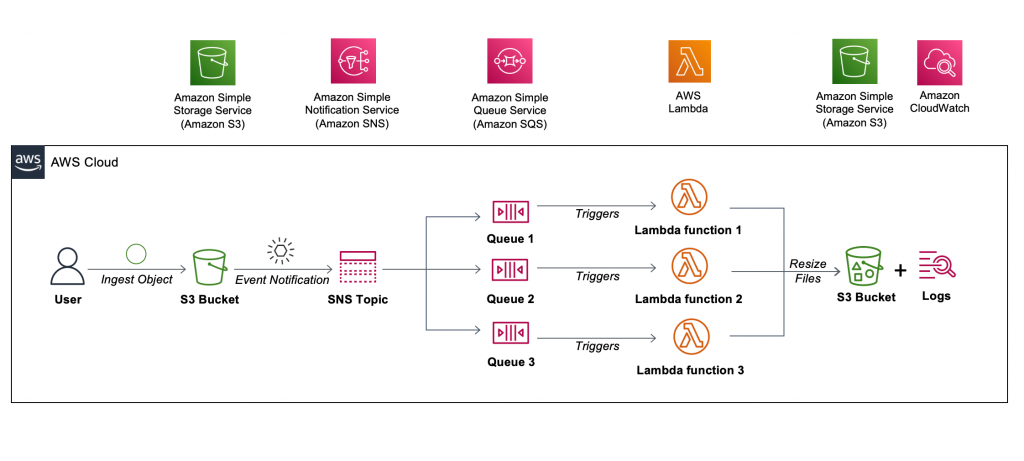
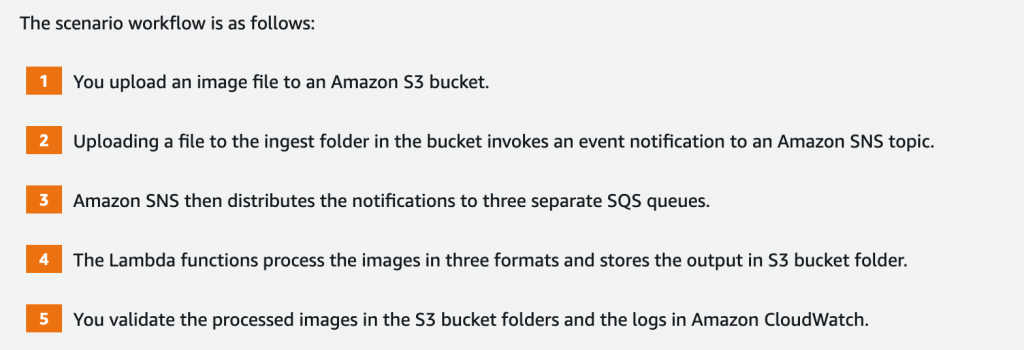
Lab 5: Build a Serverless Architecture
In this lab, you will use AWS managed services to build a serverless architecture.
-
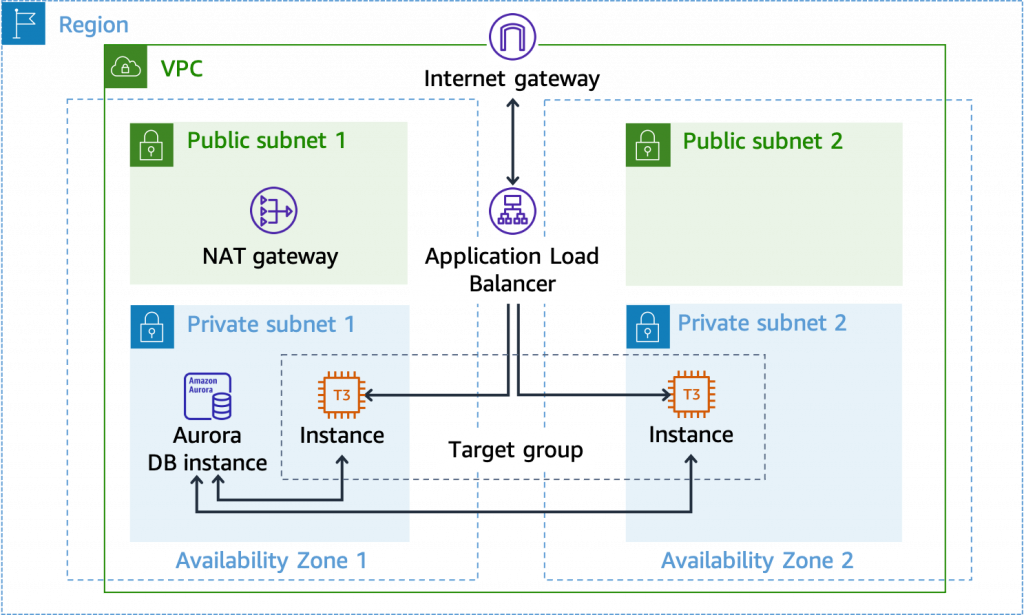
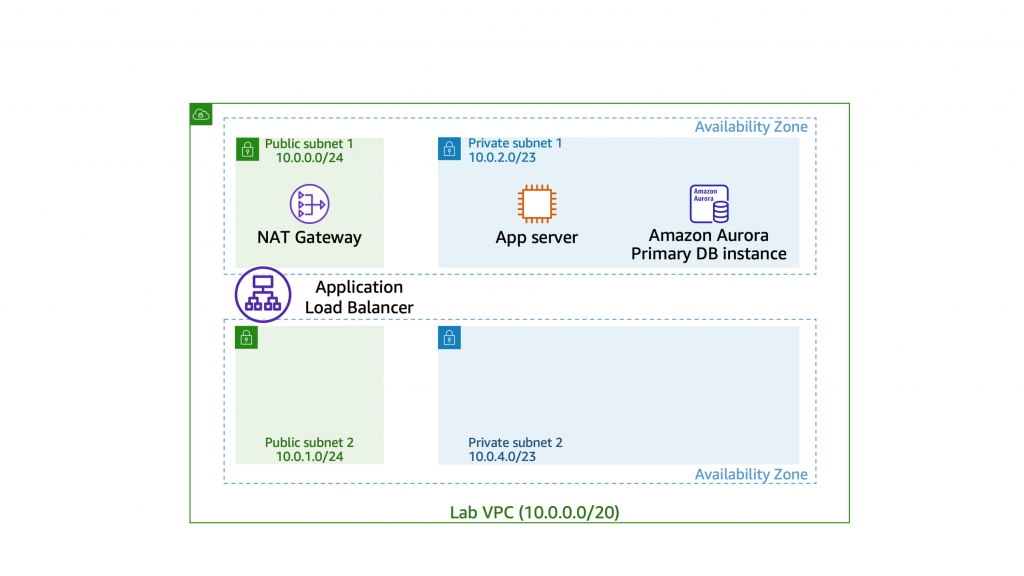
Lab 4 – Configure high availability in your Amazon VPC
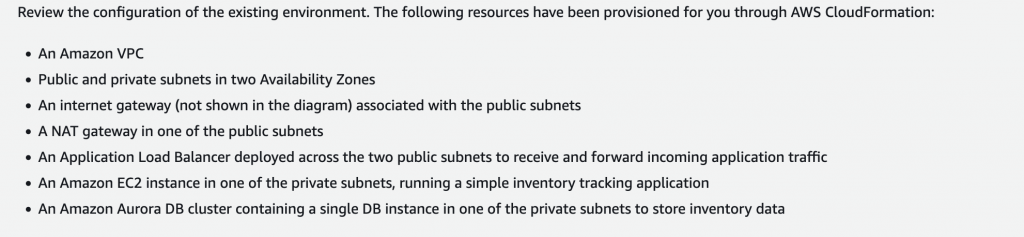
This lab provides hands-on practice deploying redundant resources in a VPC such as NAT gateway, VPC routing, EC2 auto scaling groups, and Amazon Aurora DB clusters
-
Lab 3 – Create a database layer in your Amazon VPC infrastructure
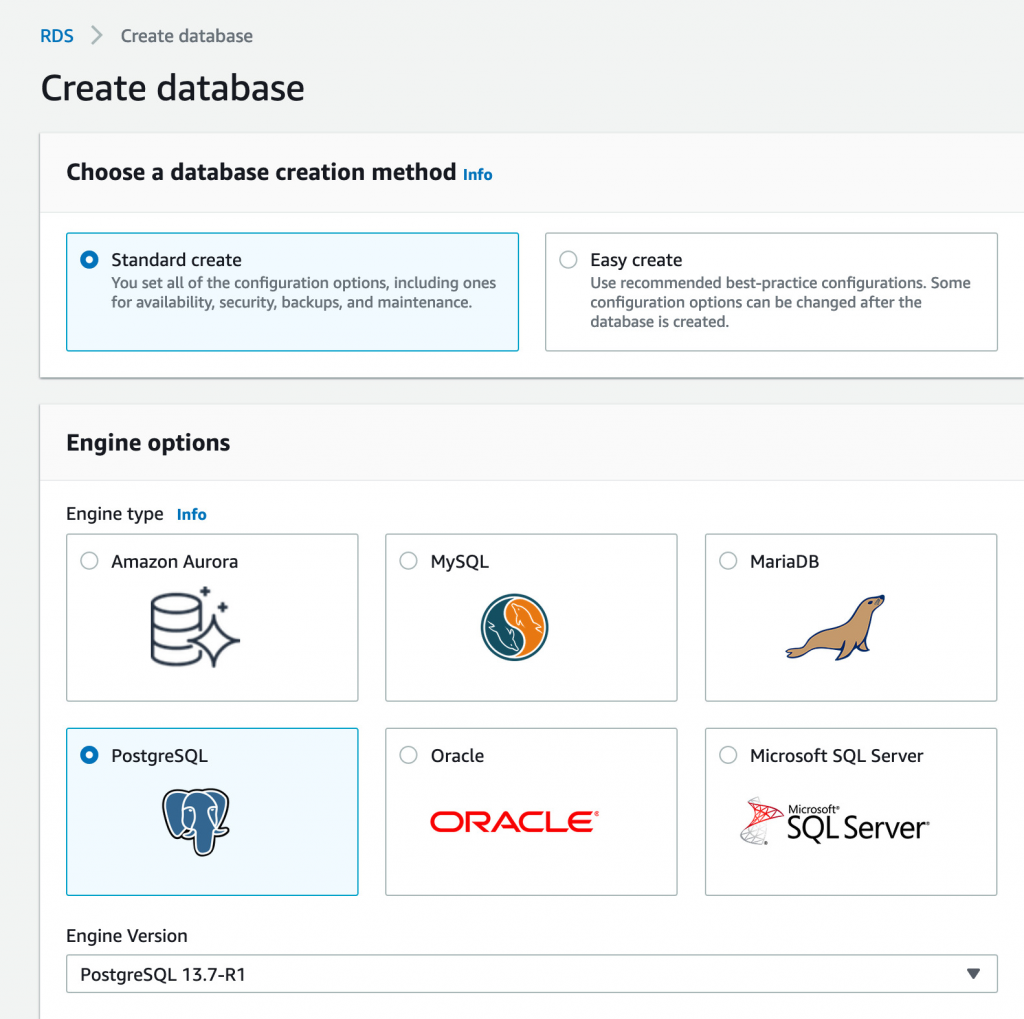
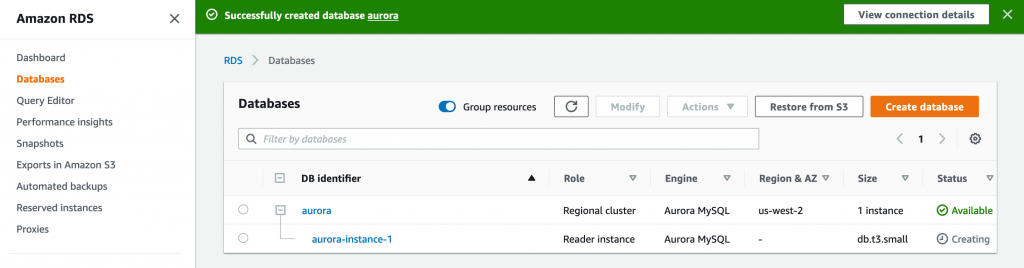
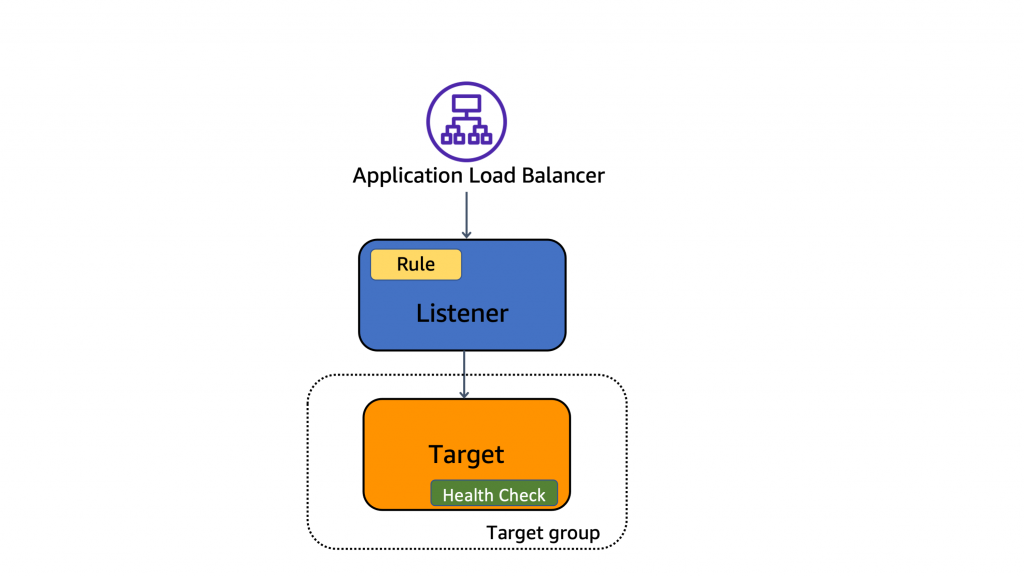
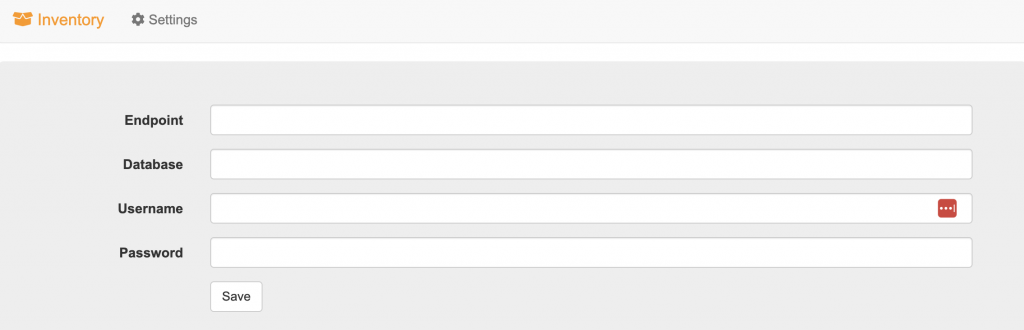
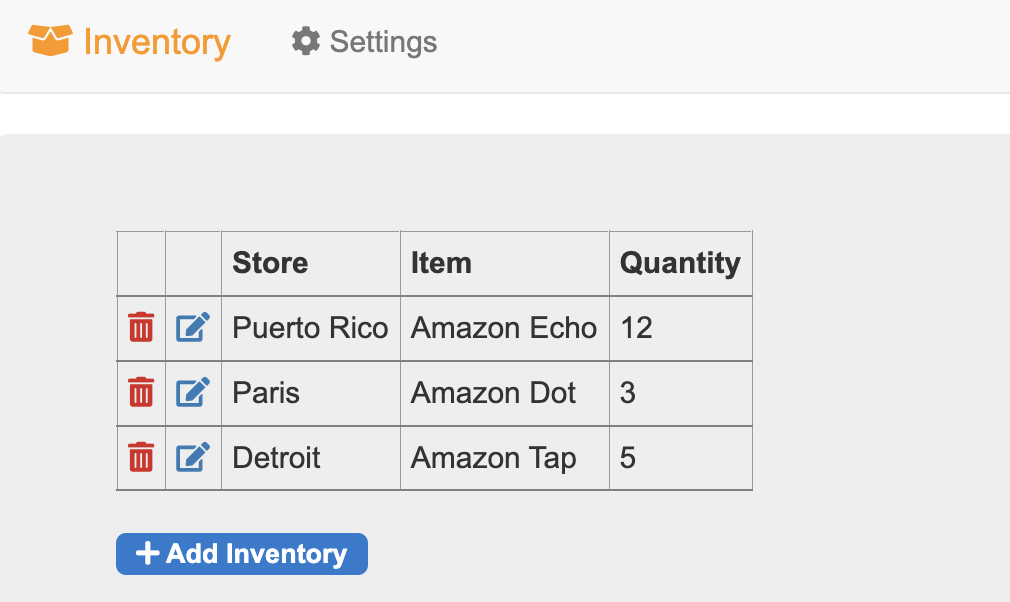
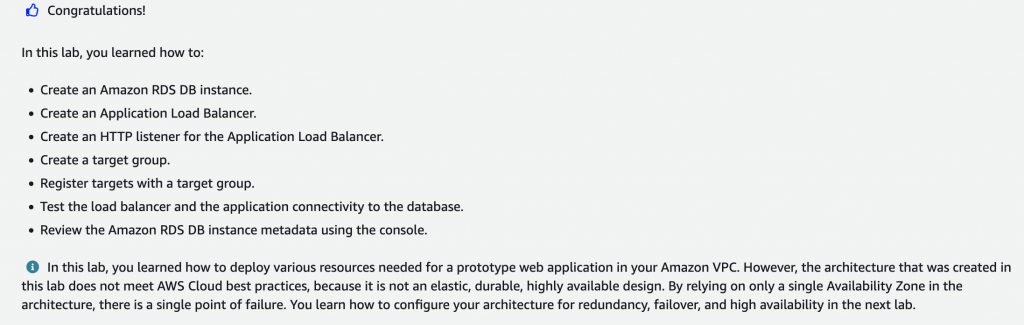
In this lab, you create an Amazon RDS database, view the database metadata, create an Application Load Balancer, configure the target group, register an existing Amazon EC2 instance as a target with the target group and test the load balancer.
Task 1 : Create an Amazon RDS database
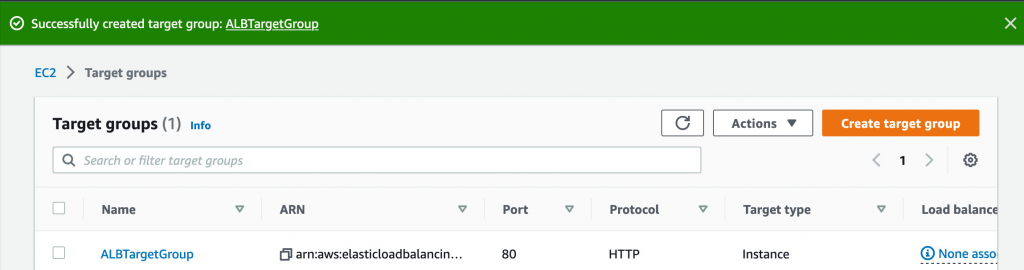
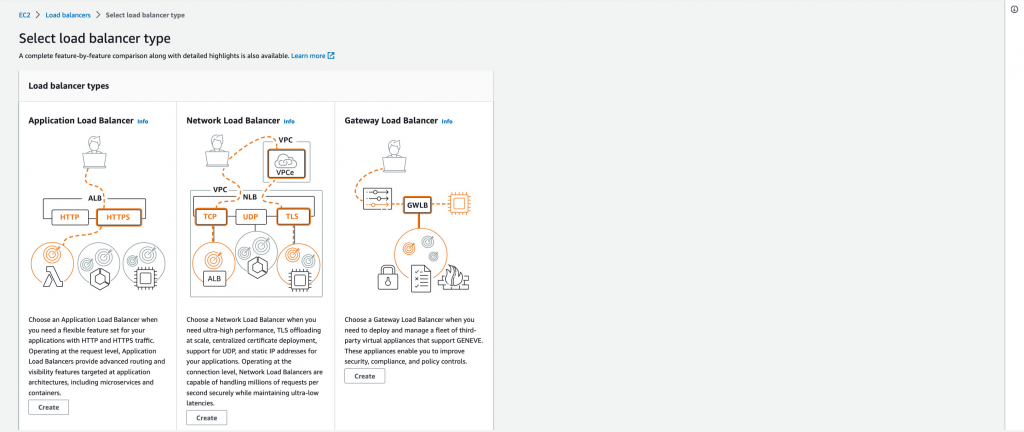
Task 2 : Create and configure an Application Load Balancer
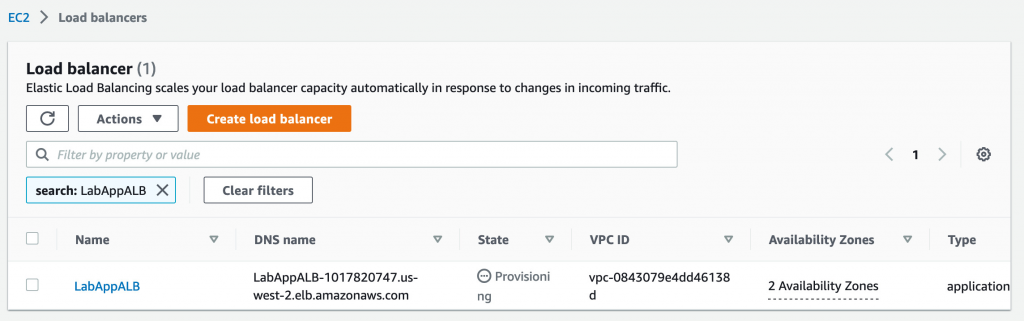
Task 2.2 : Create an Application Load Balancer
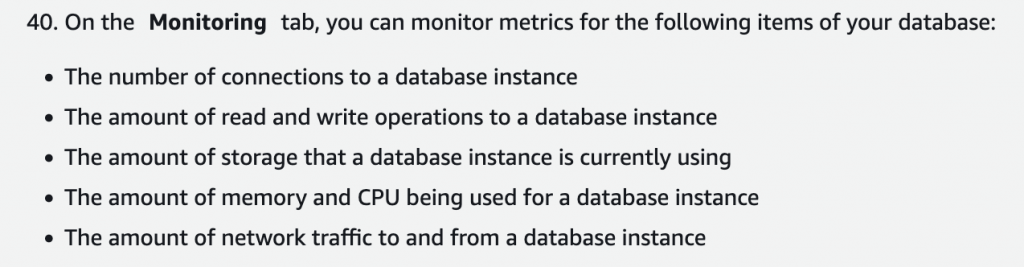
Task 3 : Review the Amazon RDS DB instance metadata via the console
Task 4 : Test the application connectivity to the database
Optional Task : Create an Amazon RDS read replica in a different AWS Region