Run the appropriate setupCustomPropertiesFor… script
Replace BROWSER with either FIREFOX or CHROME
Replace APPIAN_URL with Appian URL, beginning with https:// and including /suite at the end (e.g. https://forum.appian.com/suite)
Replace APPIAN_VERSION with (17.3, 17.4, 18.1, 18.2, 18.3, 18.4, 19.1 or 19.2)
Replace APPIAN_LOCALE with either “en_US” or “en_GB”
Replace APPIAN_USERNAME with a valid username for Appian URL above
Open src/main/resources/configs/users.properties and add a line for the above username that is of the form username=password (e.g. test.user=password)
/src/test/resources/TempoNavigationExample.feature
/src/main/resources/configs/users.properties
[ERROR] Please refer to /Users/azmiratania/CucumberForAppian/target/surefire-reports for the individual test results.
cd CucumberForAppian/
$ ./setupCustomPropertiesForMac.sh
$ mvn clean test
IF bank_id = 001 THEN
   result := 'SBI';

ELSIF bank_id = 002 THEN
   result := 'ICICI';

ELSIF bank_id = 003 THEN
   result := 'Dena';

ELSE
   result := 'Gateway';

END IF;
You would need a JEE compliant application server for running Appian. Tomcat is only a HTTP server and a servlet container. So you can use Apache Tomcat as a mere web server, with JBoss or other JEE application servers running Appian.
In this release (18.3) we’re excited to announce that Appian no longer uses a separate application server. Appian now includes a pre-configured version of Tomcat, which takes over the responsibilities that were previously handled by JBoss or WebLogic instances.
There are many reasons why we decided to do this. However, the most important reason is because it removes a layer of complexity when installing, upgrading, and maintaining your Appian environment.
No special license or extra steps required; simply download and run the Appian Installer.
sudo su
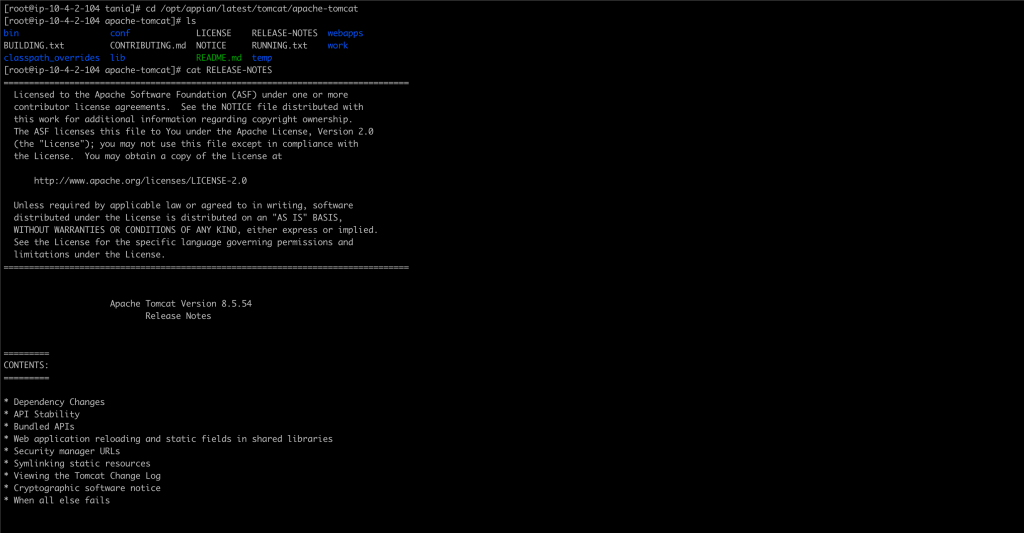
cd /opt/appian/latest/tomcat/apache-tomcat/bin
./version.sh
Using CATALINA_BASE:   /opt/appian/latest/tomcat/apache-tomcat
Using CATALINA_HOME:   /opt/appian/latest/tomcat/apache-tomcat
Using CATALINA_TMPDIR: /opt/appian/latest/tomcat/apache-tomcat/temp
Using JRE_HOME:        /opt/appian/latest/java
Using CLASSPATH:       /opt/appian/latest/tomcat/apache-tomcat/bin/bootstrap.jar:/opt/appian/latest/tomcat/apache-tomcat/bin/tomcat-juli.jar
Server version: Apache Tomcat/8.5.50
Server built:   Dec 7 2019 19:19:46 UTC
Server number:  8.5.50.0
OS Name:        Linux
OS Version:     3.10.0-693.11.1.el7.x86_64
Architecture:   amd64
JVM Version:    1.8.0_232-b09
JVM Vendor:     AdoptOpenJDK
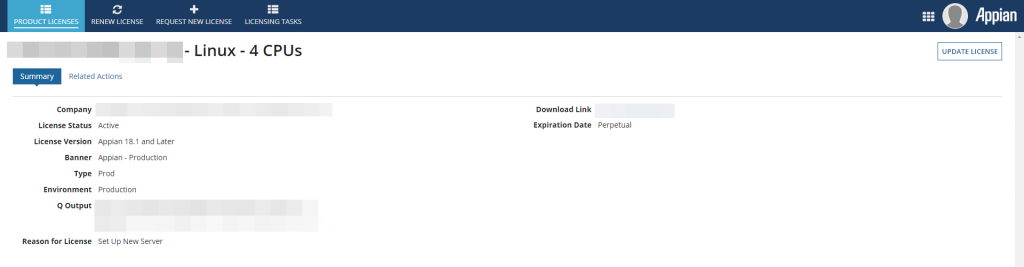
The following are the reasons for which a new license is required. Changes to:
The operating system
The CPU count
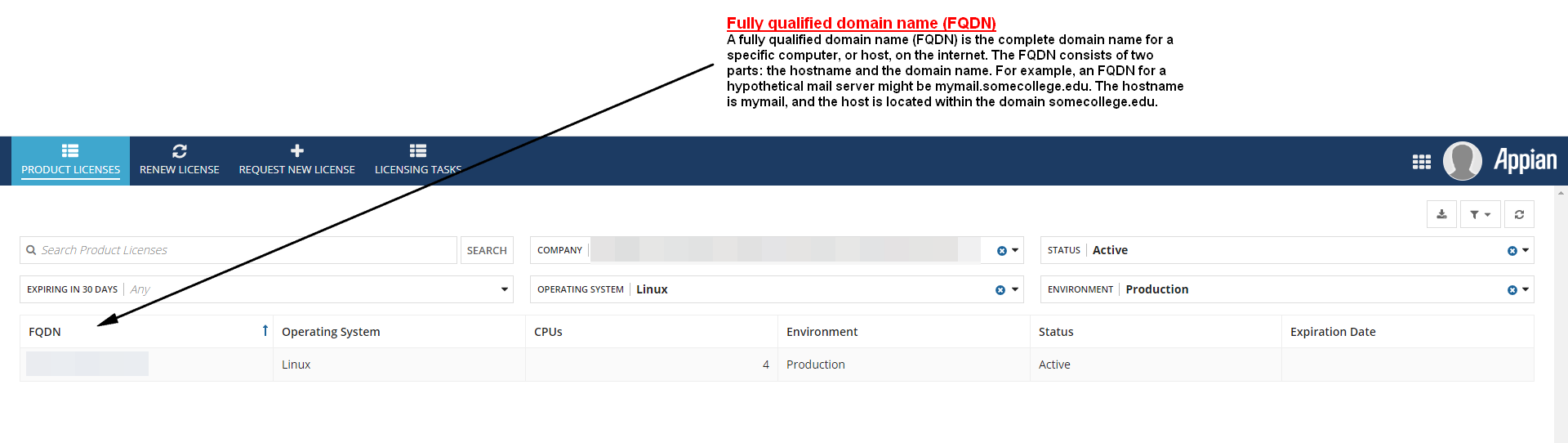
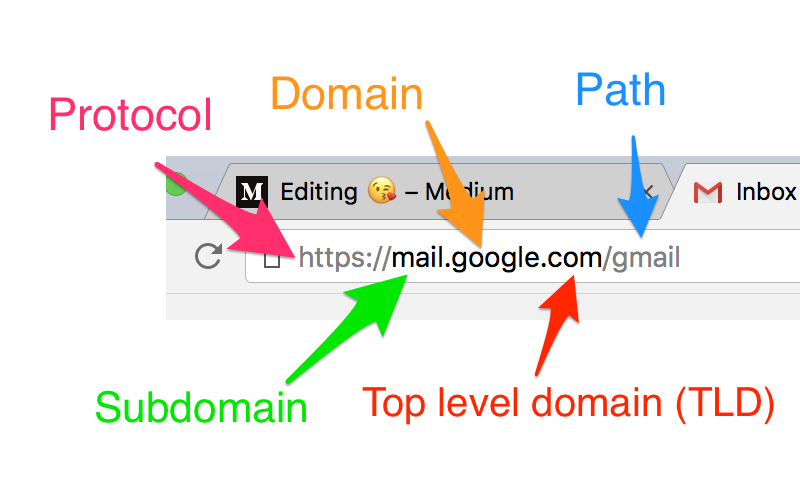
-The FQDN (Fully Qualified Domain Name) of the machine on which the license is installed
If the subdomain change does not alter the FDQN then a new license should not be required.
A fully qualified domain name (FQDN) is the complete domain name for a specific computer, or host, on the internet. The FQDN consists of two parts: the hostname and the domain name. For example, an FQDN for a hypothetical mail server might be mymail.somecollege.edu. The hostname is mymail, and the host is located within the domain somecollege.edu.
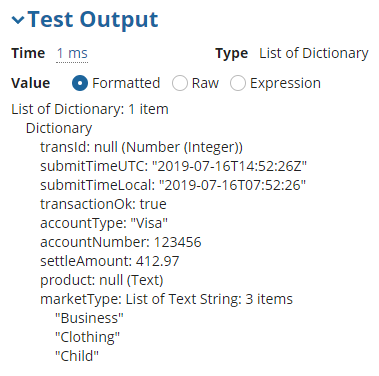
List of Dictionary: 1 item
    Dictionary
        /*64-Bit Integer converted to Text*/
        transId: "9223372036854775807"
        /*UTC Datetime without Seconds converted to Date and Time*/
        submitTimeUTC: 7/16/2019 10:52 AM EDT
        /*Datetime without Timezone converted to Date and Time*/
        submitTimeLocal: 7/16/2019 3:52 AM EDT
        /*Boolean data type*/
        transactionOk: true
        /*Text data type*/
        accountType: "Visa"
        /*Number(Integer) data type*/
        accountNumber: 123456
        /*Number(Decimal) data type*/
        settleAmount: 412.97
        /*Null value*/
        product: null (Text)
        /*Array*/
        marketType: List of Text String: 3 items
            "Business"
            "Clothing"
            "Child"
NOTE: When deploying this plug-in, please delete all old versions of the ExportableDataSubset CDT AND update your model to point to the new version {urn:com:appian:ps:excel:types}ExportableDataSubset
a!localVariables(
  local!recordSets: readExcelSheet(
    /*The Excel document to read from*/
    excelDocument: ri!document,
    /*The sheet number to read from where 0 is the first sheet, 1 is the second sheet, etc*/
    sheetNumber: 0,
    /*The row to start reading from where 0 is the first row*/
    startRow: 0,
    /*Optional: The number of columns to read. Leave blank (or use 0) to auto detect the number of columns.*/
    numberOfColumns: 0,
    /*Optional: The Excel documents password*/
    password: null
  ).result.values,
  local!count: count(
    local!recordSets
  ),
  local!recordSets
)