Author: fire_horse

  • AWS linkedin Lambda assessment

    AWS CloudFormation and AWS Serverless Application Model (SAM) are both infrastructure-as-code (IAC) tools provided by AWS for creating and managing AWS resources.

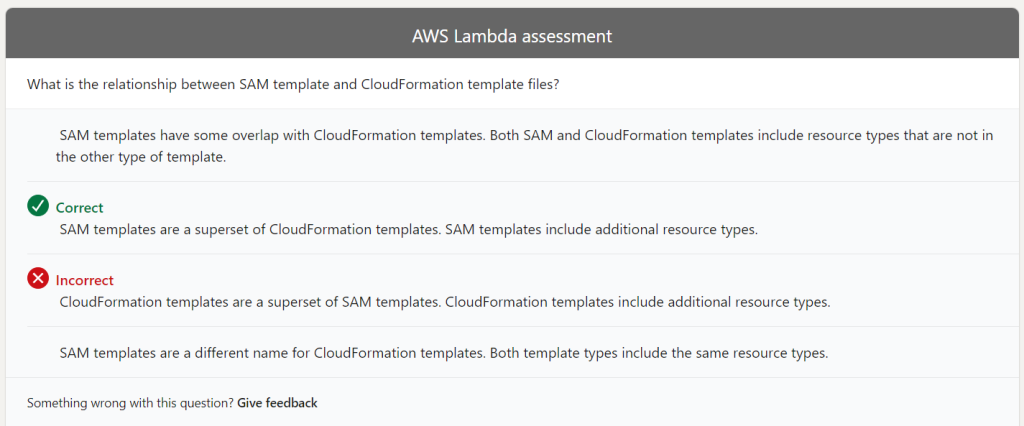
    A SAM template is an extension of a CloudFormation template. SAM extends CloudFormation by providing a simplified way of defining the Amazon API Gateway APIs, AWS Lambda functions, and Amazon DynamoDB tables needed by your serverless application. The SAM template is essentially a CloudFormation template with some additional syntax for defining serverless resources.

    In other words, a SAM template is a CloudFormation template with additional syntax for defining serverless resources. You can use a CloudFormation template to define any AWS resource, while the SAM template is designed specifically for serverless applications. SAM is a higher-level abstraction for defining serverless applications that makes it easier to create and manage them.

    Additionally, when you deploy a SAM template, it is transformed into a CloudFormation template before being deployed to AWS CloudFormation. This transformation is done to ensure that the CloudFormation stack created from the SAM template is compatible with CloudFormation’s API.
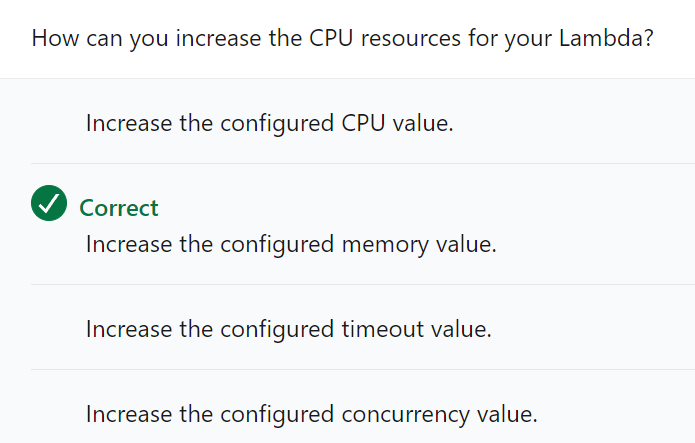
    You can increase the CPU resources allocated to your AWS Lambda function by adjusting the function’s memory allocation. When you increase the memory allocation for a Lambda function, AWS automatically allocates CPU and other resources in proportion to the memory allocation. This means that if you increase the memory allocation, you will also increase the CPU resources available to the function.

    Here’s how you can increase the CPU resources for your Lambda function:

    Go to the AWS Lambda console and select the function you want to modify.
    Click on the “Configuration” tab.
    Scroll down to the “General configuration” section.
    Increase the memory allocation for your function.
    AWS will automatically allocate CPU resources based on the memory allocation you set.


    It’s important to note that increasing the memory allocation for your function will also increase its cost, as you are paying for both the memory and CPU resources. Therefore, you should only increase the memory allocation if your function requires more CPU resources to perform its tasks efficiently.
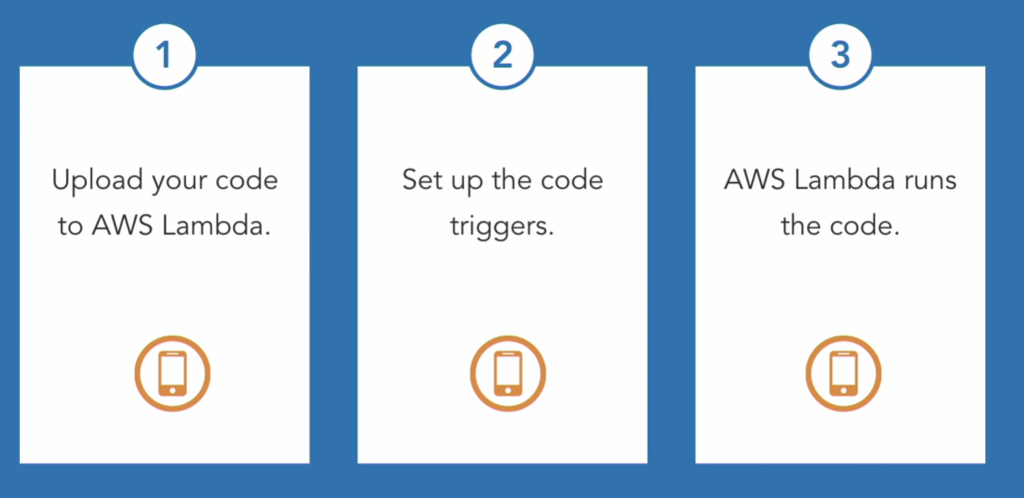
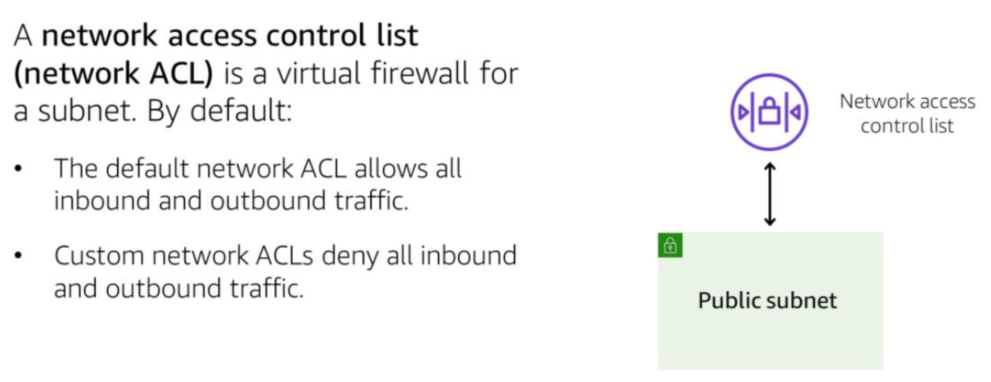
    https://www.linkedin.com/learning/learning-amazon-web-services-lambda-2/serverless-computing-with-lambdas?autoplay=true

  • AWS Certified Solutions Architect – Associate

    What are the different types of storage options available in AWS, and how do they differ in terms of use cases and pricing?
    Explain how to deploy a highly available web application in AWS, including the use of load balancers, auto-scaling, and availability zones.
    What is the difference between Amazon RDS and Amazon DynamoDB, and when would you use one over the other?
    Describe the different types of EC2 instances available in AWS, and how they differ in terms of CPU, memory, storage, and network capacity.
    What is the difference between AWS Lambda and Amazon EC2, and when would you use one over the other?
    How do you configure an AWS Virtual Private Cloud (VPC), including subnets, security groups, and network ACLs?
    Describe the benefits of using Amazon CloudFront for content delivery, and explain how to set it up and configure it for a website.
    Explain how to set up and manage an AWS S3 bucket, including bucket policies, versioning, and object lifecycle rules.
    How do you implement AWS Identity and Access Management (IAM), including creating users, groups, roles, and policies?
    Describe the different types of AWS databases available, including Amazon Aurora, Amazon Redshift, and Amazon DocumentDB, and how they differ in terms of use cases and pricing.

  • What is the relationship between Regions and Availability Zones?

    Regions consist of two or more Availability Zones.

    Each Availability Zone includes one or more data centers.

    After you have selected a Region for your applications, as a best practice, run applications in multiple Availability Zones. This helps to ensure that your applications can continue to run if one Availability Zone fails.

  • Microservices design pattern

    1. Service Discovery: Service Discovery is the process of automatically detecting the location and availability of services in a network. It allows services to locate each other and communicate without requiring prior knowledge of each other’s network addresses or configurations.
    2. Circuit Breaker: Circuit Breaker is a design pattern used in software development to prevent cascading failures in distributed systems. It acts as a safety valve that monitors the health of a service and, if it detects a failure or error, it opens the circuit and prevents further requests from being sent until the service is healthy again.
    3. SAGA: SAGA (short for “Saga Pattern”) is a design pattern used in distributed systems to manage long-running transactions that involve multiple services. It breaks down a complex transaction into a series of smaller, atomic transactions, each of which can be individually compensated or rolled back if an error occurs.
    4. CQRS: CQRS (short for “Command Query Responsibility Segregation”) is a design pattern used to separate the read and write responsibilities of a system. It involves creating separate models for reading and writing data, which can improve performance and scalability by allowing each model to be optimized for its specific use case.
    5. Event Sourcing: Event Sourcing is a design pattern used to capture all changes to an application’s state as a series of immutable events. Instead of storing only the current state of an application, it stores the entire history of changes that led up to the current state. This allows for easy auditing and replaying of events, and can make it easier to handle concurrency and conflicts.
  • Which AWS service is a valid data source for AWS AppSync?

    Amazon AppSync supports multiple data sources, including the following AWS services:

    Amazon DynamoDB: A fast and flexible NoSQL database service.

    Amazon RDS: A managed relational database service for SQL, MySQL, PostgreSQL, and other databases.

    AWS Lambda: A serverless computing platform that runs your code without requiring you to provision or manage servers.

    Amazon S3: An object storage service that allows you to store, retrieve, and manage your data through the AWS Cloud.

    HTTP Data Sources: You can also connect to any HTTP data source, including REST APIs and web services, using AppSync’s built-in support for HTTP resolvers.

    These are the most commonly used data sources for AppSync. Other AWS services, like Amazon ElastiCache, Amazon Aurora, and Amazon Kinesis, can also be used as a data source for AppSync through custom Lambda resolvers.

  • What is Amazon S3?

    Amazon S3 (Simple Storage Service) is a cloud storage service provided by Amazon Web Services (AWS). It allows users to store and retrieve any amount of data, at any time, from anywhere on the web. S3 provides high durability and availability for data, making it suitable for storing mission-critical data. S3 can be used for a variety of use cases, including data archiving, backups, big data analytics, and disaster recovery.

    Amazon S3 has several types of storage classes designed to meet different data storage and access needs:

    1. S3 Standard: general-purpose storage for frequently accessed data with high durability.
    2. S3 Intelligent-Tiering: automatically moves data to the most cost-effective access tier.
    3. S3 Standard-IA (Infrequent Access): lower-cost storage for data that is accessed less frequently.
    4. S3 One Zone-IA: lower-cost storage for infrequently accessed data, with a single availability zone for data redundancy.
    5. S3 Glacier: extremely low-cost storage for data archiving and long-term retention.
    6. S3 Glacier Deep Archive: the lowest-cost storage option for data that may be needed once or twice a year.

    Each storage class is designed to cater to specific use cases and has different performance characteristics, pricing models, and retrieval times.

  • First Factorial

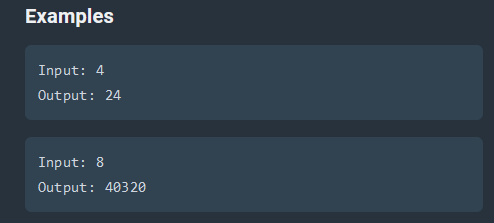
    Have the function FirstFactorial(num) take the num parameter being passed and return the factorial of it. For example: if num = 4, then your program should return (4 * 3 * 2 * 1) = 24. For the test cases, the range will be between 1 and 18 and the input will always be an integer.

    https://coderbyte.com/editor/First%20Factorial:JavaScript?utm_campaign=NewHomepage

    function FirstFactorial(num) { 
    
      // code goes here 
      let result = 1;
        for (let i = num; i >= 1; i--) {
            result *= i;
        }
    
      return result ; 
    
    }
       
    // keep this function call here 
    console.log(FirstFactorial(readline()));
  • Which of the following features of an Amazon S3 bucket can only be suspended once they have been enabled?

    The following features of an Amazon S3 bucket can only be suspended once they have been enabled:

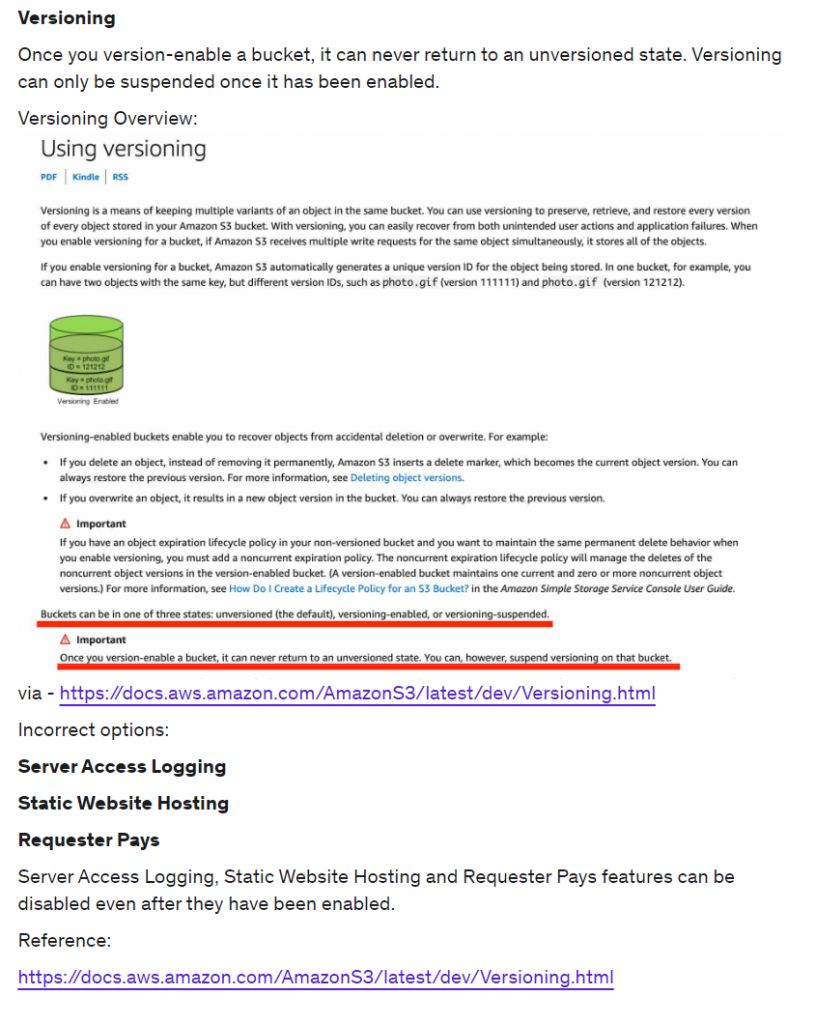
    1. Versioning: Once versioning is enabled for an S3 bucket, it cannot be suspended. However, you can delete individual versions of objects or delete all versions of an object (excluding the current version of the object) to effectively remove versioning for those objects.
    2. Static website hosting: If you have enabled static website hosting for your S3 bucket, you cannot suspend it. However, you can disable static website hosting by deleting the appropriate bucket policy.
    3. Event notifications: If you have enabled event notifications for your S3 bucket, you cannot suspend them. However, you can delete individual event notifications or the entire event notification configuration to effectively disable event notifications for the bucket.
    4. Object tagging: Once object tagging has been enabled for an S3 bucket, it cannot be suspended. However, you can delete individual tags or the entire tag set for an object to effectively remove object tagging for that object.
    5. Requester pays: Once requester pays is enabled for an S3 bucket, it cannot be suspended. However, you can disable requester pays by removing the bucket policy that enables it.
    6. Server access logging: If you have enabled server access logging for your S3 bucket, you cannot suspend it. However, you can stop logging by deleting the appropriate bucket policy or by deleting the access log objects from the bucket.
  • Amazon Kinesis Data Streams and Amazon Kinesis Data Firehose

    Amazon Kinesis Data Streams and Amazon Kinesis Data Firehose are both services for streaming data on AWS, but they are used for different purposes.

    Amazon Kinesis Data Streams is a real-time data streaming service that allows you to collect, process, and analyze data as it is generated by various sources. It is a fully managed service that scales elastically and can handle hundreds of thousands of data sources. With Kinesis Data Streams, you can build custom applications that process and analyze the data using the Kinesis Data Streams API, or you can use other AWS services such as Amazon Kinesis Data Analytics or Amazon EMR to process the data.

    Amazon Kinesis Data Firehose, on the other hand, is a fully managed service for delivering real-time streaming data to destinations such as Amazon S3, Amazon Redshift, or Amazon Elasticsearch Service. It is a simple way to load streaming data into AWS, and it can automatically transform and load the data into other AWS services for further processing or analysis.

    In summary, Kinesis Data Streams is a more flexible and customizable service for streaming data, while Kinesis Data Firehose is a simpler and more fully managed service for delivering streaming data to destinations.

    It’s difficult to say definitively which service would be better for a particular scenario without more information about the specific requirements and constraints of the project. That being said, here are a few factors that might help you determine which service is more appropriate:

    • Data sources and volume: If you have a high volume of data coming from a large number of sources, Kinesis Data Streams might be a better choice, since it is designed to scale elastically and handle a high volume of data. On the other hand, if you have a lower volume of data or only a few sources, Kinesis Data Firehose might be sufficient.
    • Processing needs: If you need to perform real-time processing or analysis on the data as it is being ingested, Kinesis Data Streams might be a better choice, since it allows you to build custom applications using the Kinesis Data Streams API or use other AWS services like Amazon Kinesis Data Analytics or Amazon EMR. If you simply need to deliver the data to a destination for storage and do not need to perform any additional processing, Kinesis Data Firehose might be a more appropriate choice.
    • Destination: If you need to deliver the data to a specific destination such as Amazon S3, Amazon Redshift, or Amazon Elasticsearch Service, Kinesis Data Firehose might be a better choice, since it is specifically designed for this purpose and can automatically transform and load the data into the destination. If you need to deliver the data to a different destination or have more custom requirements for loading the data, Kinesis Data Streams might be a better option.

    Ultimately, the best choice will depend on your specific requirements and the characteristics of the data you are working with.