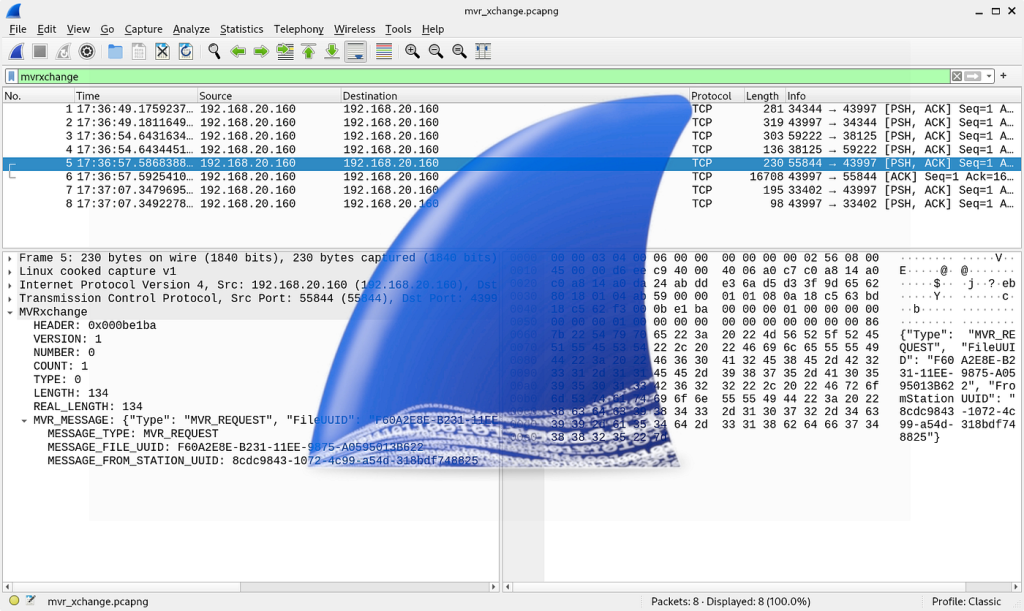
Most people use the internet every day without ever seeing what’s actually happening under the hood. We click links, send messages, stream videos—and everything just works.
But beneath that simplicity lies a constant flow of packets: tiny chunks of data moving across networks at incredible speed.
If you’ve ever wanted to see that invisible layer, Wireshark is where things get interesting.
What is Wireshark?
Wireshark is a network protocol analyzer—a tool that lets you capture and inspect the data traveling across a network in real time.
Think of it as:
- A microscope for network traffic
- A debugger for connectivity issues
- A truth-teller when systems behave strangely
It shows you exactly what data is being sent, where it’s going, and how it’s structured.
Why Wireshark Matters
At first glance, Wireshark can feel overwhelming. Thousands of packets, cryptic protocols, endless columns.
But once you understand it, it becomes incredibly powerful.
🔍 Troubleshooting Network Issues
When something breaks, logs don’t always tell the full story. Wireshark shows:
- Failed connections
- Retransmissions
- DNS issues
- Latency bottlenecks
Instead of guessing, you see the problem.
🔐 Security Analysis
Wireshark is widely used in cybersecurity to:
- Detect suspicious traffic
- Identify data leaks
- Analyze malware communication
- Inspect unencrypted credentials
It’s not a hacking tool—but it’s often used to understand how attacks work.
📡 Learning How the Internet Works
If you want to truly understand networking, there’s no better teacher.
You can observe:
- TCP handshakes
- HTTP requests and responses
- TLS encryption flows
- DNS lookups
It turns abstract concepts into something tangible.
A Simple Example
Let’s say you open a website.
Behind the scenes, Wireshark will show something like:
- Your computer sends a DNS request to resolve the domain
- A TCP handshake is established (SYN → SYN-ACK → ACK)
- An HTTP or HTTPS request is sent
- The server responds with data packets
- Your browser reconstructs everything into a webpage
What feels instant is actually a series of precise, structured steps.
Key Features That Make Wireshark Powerful
📊 Deep Packet Inspection
Wireshark doesn’t just capture packets—it decodes them into human-readable formats.
🔎 Powerful Filtering
Instead of drowning in data, you can filter traffic like:
http
dns
ip.addr == 192.168.1.1
tcp.port == 443
This turns chaos into clarity.
⏱️ Real-Time Capture
You can watch traffic as it happens, which is incredibly useful for debugging live systems.
The Learning Curve (and Why It’s Worth It)
Let’s be honest—Wireshark is not beginner-friendly.
The interface can feel intimidating:
- Thousands of packets scrolling
- Protocols you’ve never heard of
- Hex data everywhere
But once you learn:
- Basic networking (TCP/IP, DNS, HTTP)
- How to filter traffic
- How to follow streams
…it becomes one of the most valuable tools in your toolkit.
Who Should Learn Wireshark?
- Site Reliability Engineers (SREs)
- Backend engineers
- Security analysts
- DevOps engineers
- Curious developers
If you work with systems, networks, or APIs—this tool will give you an edge.
Final Thoughts
Wireshark changes how you see the internet.
It takes something invisible and makes it observable.
It turns guesswork into evidence.
It forces you to understand how things actually work.
And once you’ve used it, you’ll never look at a “simple” web request the same way again.